Browse
The feed at / is where tsundoku's purpose
shows up: a paginated grid of series the resolver has linked at least
one release to. Filters scope the set; presets remember combinations
worth keeping around.
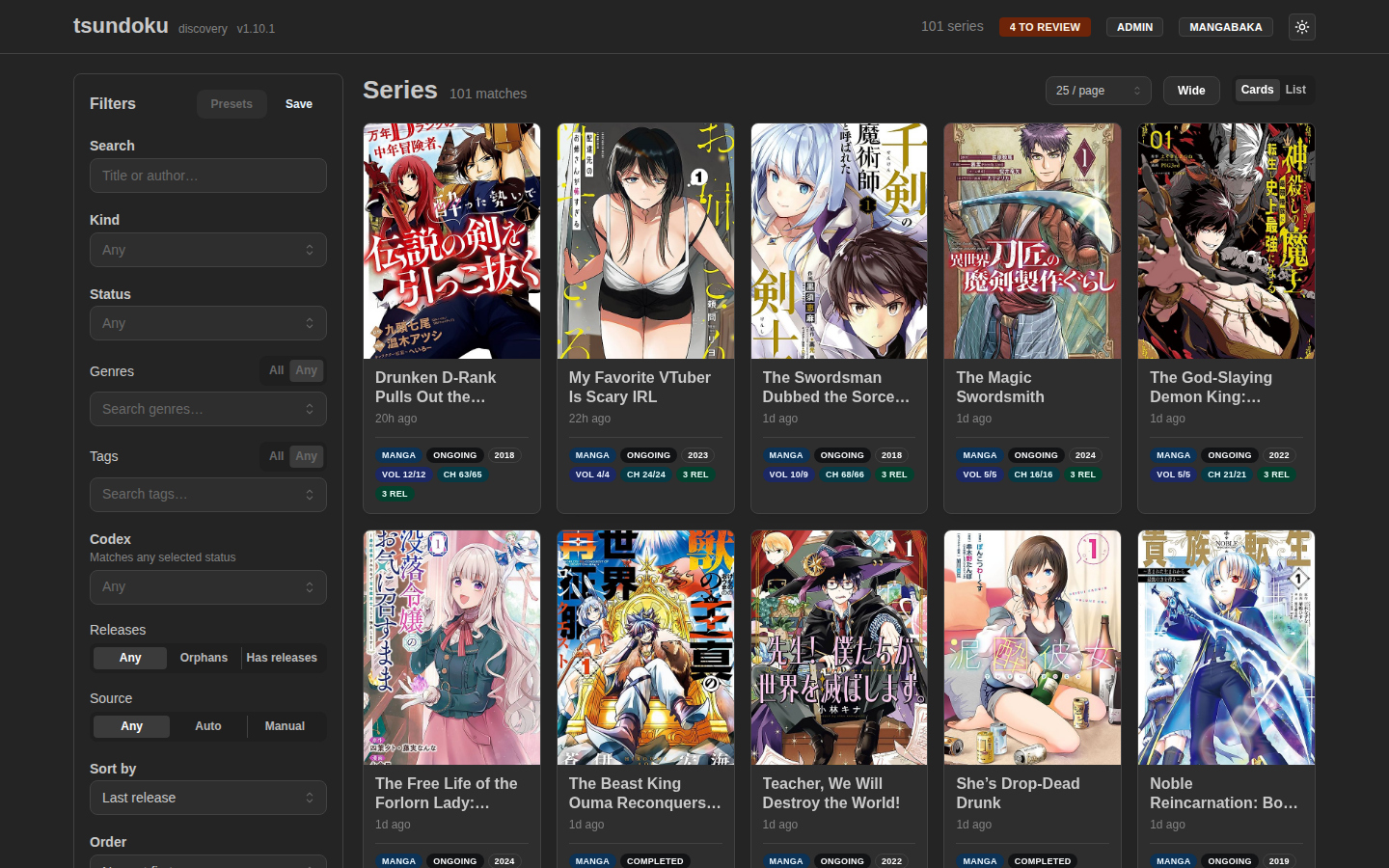
Filters
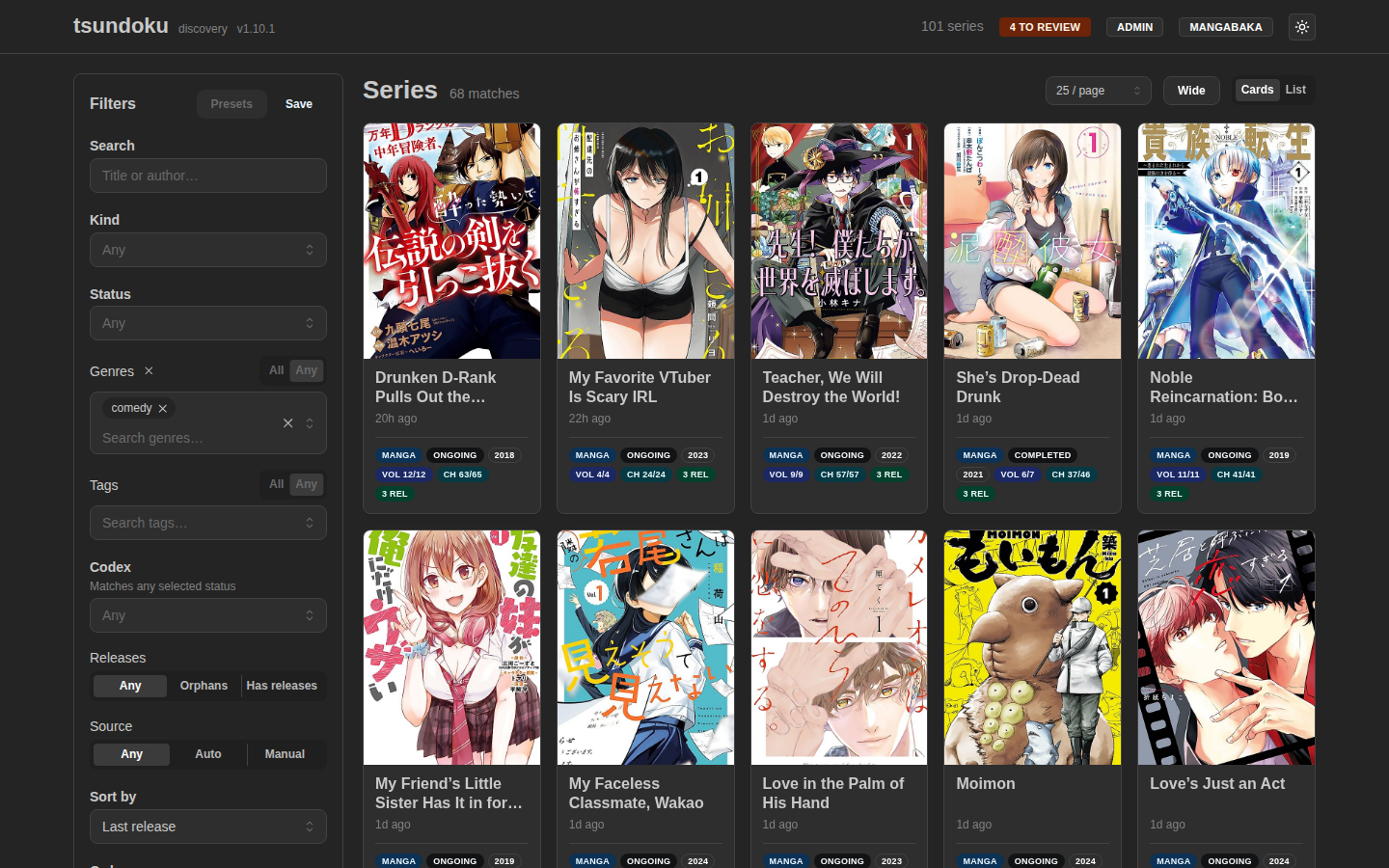
The left rail lives in the URL — copy the address bar to share or bookmark a view, no preset required.
Text search
Free-text query (q). Server-side: Dice-coefficient rerank against
canonical + alternate titles, with an FTS5 prefix-match boost so
correctly-spelled queries beat fuzzy ones. Whitespace-only is treated
as absent. Results are always relevance-ordered when q is set —
the Sort by dropdown is ignored.
Kind / Status
Single-select combo boxes against series.type (manga, manhwa,
manhua, novel, one_shot, other) and series.status (ongoing,
completed, hiatus, cancelled, unknown). Both are open-ended on the
backend — type a value the resolver hasn't written yet and the
filter still applies.
Genres / Tags
Multi-select chip grids, sorted alphabetically. Each chip shows the series count so an unused genre doesn't look the same as a popular one. A typeahead narrows the chip list as you type.
The All / Any toggle sits at the top of each group:
- Any (default) — keep series matching at least one selected name. The toggle is disabled with a single chip selected (the modes are equivalent there).
- All — keep only series matching every selected name. Backend
uses
GROUP BY series_id HAVING COUNT(DISTINCT name) = N, so a series carrying some but not all of the chosen names is correctly excluded.
The toggle becomes active once two or more chips are selected. The clear-button (×) next to the section title wipes the whole group in one click.
Genres and tags are AND-combined with each other and with every
other filter. Example: genres = [Action] (any), tags = [isekai] (any)
returns series tagged isekai and in the Action genre, not the
union.
Releases
Tri-state segmented control over the orphan / has-releases axis:
- Any — no constraint (default).
- Orphans — series with zero linked releases. Usually the residue of a manual re-link in the review queue.
- Has releases — series with ≥1 linked release.
Source
Tri-state segmented control over the metadata-provenance axis:
- Any — no constraint (default).
- Auto — only provider-backed series (
metadataSourceofapioroffline_cache), i.e. rows the resolver matched to a provider. - Manual — only operator-authored series (
metadataSource = manual), the provider-less catalog entries created from the review queue. Handy for curating the manual rows, since those are the only ones you can edit.
Sort by / Order
| Sort field | Default order | Notes |
|---|---|---|
last_release_at | Newest first | Default. |
first_seen_at | Newest first | When the catalog first saw the series. |
total_volumes | Highest first | Provider-reported volume count. NULLs sink to the bottom in both directions. |
total_chapters | Highest first | Same null-handling as volumes. |
The Order dropdown's labels rephrase themselves for numeric vs. date sorts: "Newest first / Oldest first" for dates, "Highest first / Lowest first" for counts.
Sort and order are ignored when a search query is set — search is relevance-first by design.
Presets
The Save button stores the current filter set in
localStorage (key tsundoku.filter-presets.v1) under a name you
provide. Saved presets show up in the Presets menu; clicking one
overwrites the URL with that preset's filters.
Useful combinations:
- "Action ongoing, no novels" —
kind=manga, status=ongoing, genres=[Action]. - "Recent orphans to triage" —
hasReleases=false, sort=first_seen_at. - "Volumes I've never heard of" —
sort=total_volumes, order=desc.
Presets live client-side only. There's no sync between devices, and clearing browser storage drops them.
View modes
The Cards / List toggle, the results-per-page selector, and the
Wide toggle in the page header are display preferences: they
describe how results render on this device, not which results are
shown, so they live in a persisted localStorage store
(tsundoku.ui-prefs.v1) rather than the shareable URL. They survive
reloads and fresh visits instead of resetting to defaults.
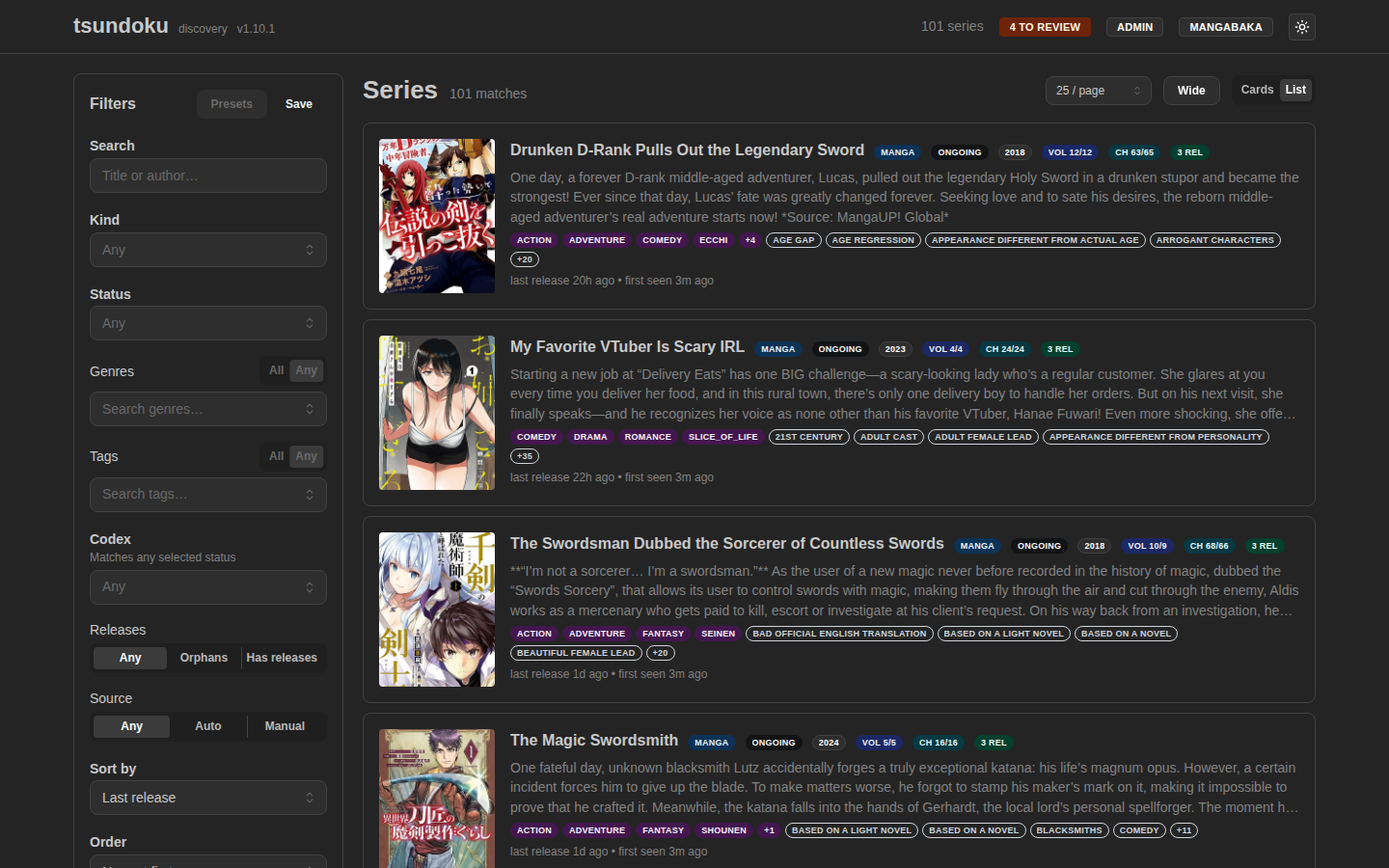
Cards are the default; list view is denser and better for sort-by-count comparisons.
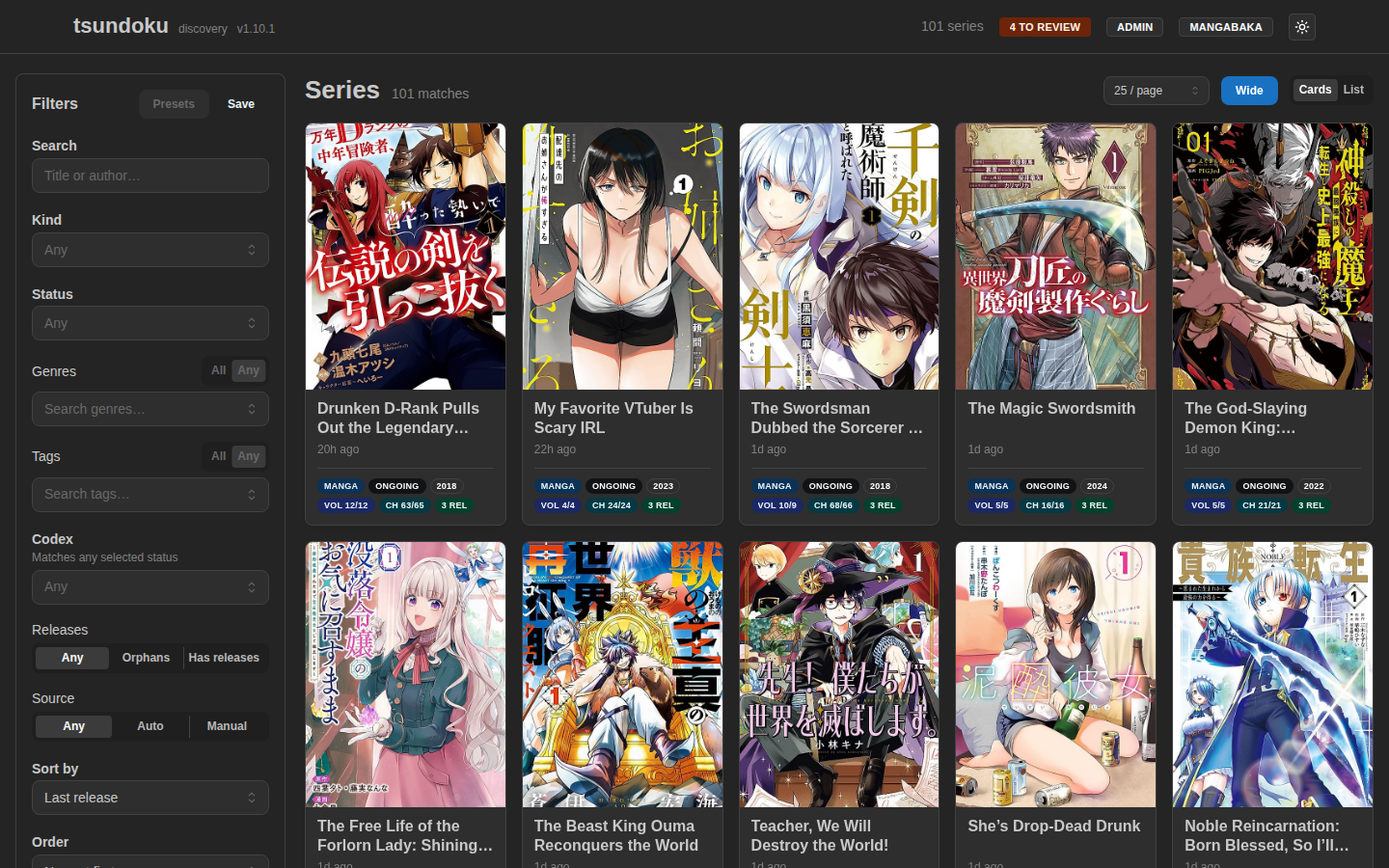
Wide layout
The Wide toggle drops the centered max-width container and switches the feed to a fixed-width sidebar plus a fluid auto-fill card grid. On a large display the freed horizontal space becomes more columns rather than larger cards, so you see more series per screen. It's off by default and persisted per-device, since you'd never want to force it onto a small screen.
Both views show:
- Cover (placeholder when the provider has none).
- Canonical title, year, kind, status badges.
- Linked release count (e.g.
5 REL). - A Codex ownership badge, when the Codex integration is enabled and you're signed in as admin (see below).
Click any card to drill into the series detail page.
Codex ownership badges (admin-only)
With the Codex integration enabled, the feed overlays each series with whether it's already in your Codex library, and an accent on the tile/row matching the badge color:
| Badge | Color | Meaning |
|---|---|---|
| owned | 🟢 green | In Codex and caught up: Codex owns at least as much as has surfaced. |
| behind | 🔵 blue | In Codex, but newer volumes/chapters have surfaced than Codex owns: worth grabbing. |
| owned? | ⚪ gray | In Codex, but the count didn't parse on Codex's side, so we can't tell if you're caught up. |
| (no badge) | — | Not in Codex, or you're not signed in as admin. |
The overlay is admin-only and enforced server-side: a public (read-tier) visitor never sees it, in the payload or the UI, so what's in your library stays private. Badges click through to the series in Codex. The feed's admin-only Codex filter narrows the list by ownership status. See the Codex integration page for the full picture, including how the status is computed and how to enable it.
Pagination
Default page size is 24 (cards) / matches the same page-size in
list view. The pagination control sits at the bottom; the page
number lives in the URL via ?page=N.
Filter changes reset to page 1 automatically — a narrower result set can't strand you on page 7 of nothing.
Series detail
The detail page (/series/{id}) is reached by clicking any card. It
shows the full description, alternate titles, every external-ID
mapping the resolver has on file, and the full release list.
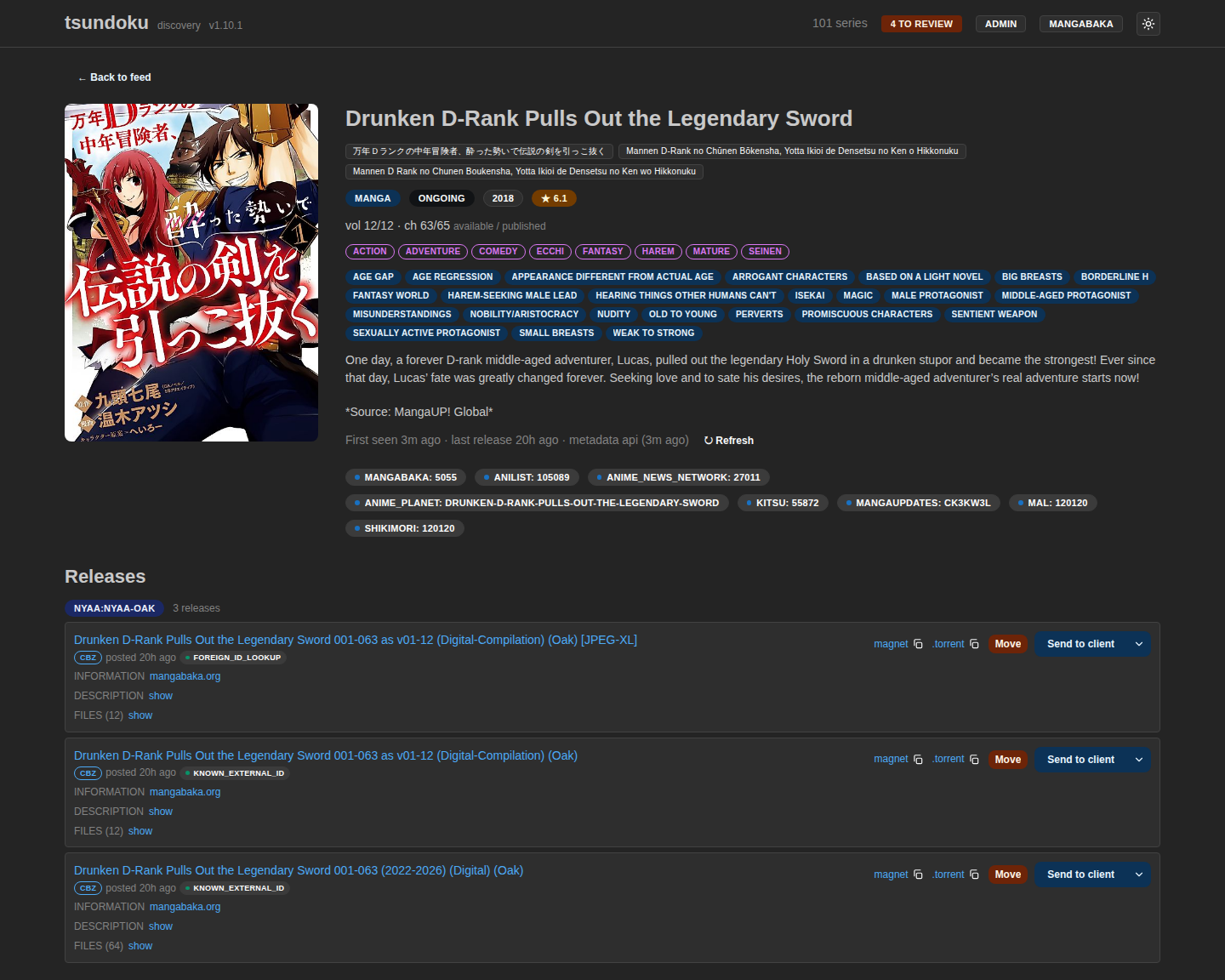
The release list has a per-row Move action: re-link a release that landed on the wrong series. The modal accepts either a catalog series id (paste from another detail page) or a provider search result. Useful when the fuzzy resolver picked the wrong target and you want to fix it after the fact without retrying the whole row.
Editing a manual series
Signed in as admin, a manual series (the manual badge, created from the review queue) shows an ✎ Edit button next to the metadata line. It opens a form to change the title, alternate titles, kind, status, year, cover URL, and description. Alternate titles feed the text search rerank, so adding them makes a manual series findable by its other names.
Editing is manual-only by design. Provider-backed series (api /
offline_cache) are owned by their metadata provider: a refresh re-pulls
and overwrites their fields, so any hand-edit would be silently clobbered
on the next cache refresh. The Edit button is therefore
absent on provider-backed series, and the API rejects a PATCH to one with
409 Conflict. To re-pull a provider-backed series instead, use the ↻
Refresh button. Edits never touch provenance, so a manual series stays
manual after editing.
API
Everything above maps to GET /api/v1/series. Genre and tag CSVs
plus genresMode / tagsMode are documented in the
API reference.